
NeuroCore: private AI that works offline
KingxTech is showing NeuroCore, our AI assistant that runs on your own device. It is private and keeps working with no internet connection.
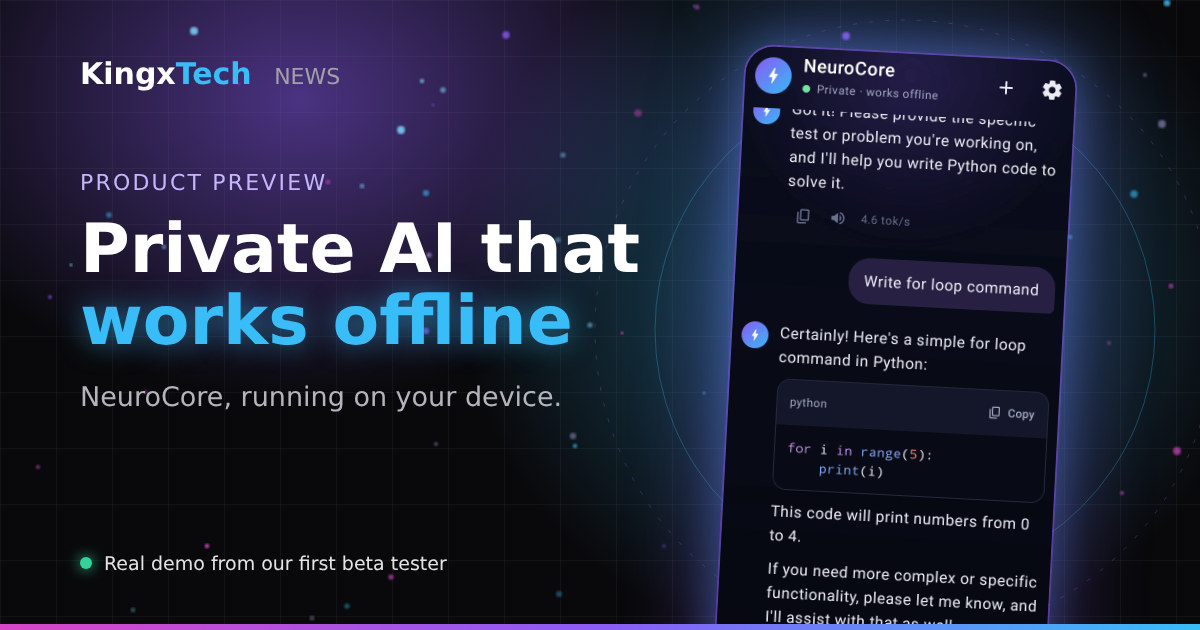
Watch NeuroCore in action
This demo video was made by our first beta tester, recorded on a real phone. The video does not load? Watch it on Google Drive.
See it in action
In the demo video, recorded by our first beta tester, NeuroCore starts up with a “Preparing your private AI” screen, then shows the status “Private · works offline”. While answering, it shows “Thinking on-device”, so the work happens on the phone itself rather than on a remote server.
- Chat naturally with the assistant, with responses generated on-device.
- Ask for code, for example a Python for loop, and get it in a formatted code block with a one-tap copy button.
- Copy, listen to or regenerate any answer, with the generation speed shown under each reply.
Download NeuroCore
NeuroCore is available now for Android. Download it from the KingxTech download page, where you will also find install steps.
Why it matters
An AI that works offline means your conversations stay on your device and it is available wherever you are, including places with weak or no connectivity. NeuroCore is part of KingxTech's work on AI and developer tools.
Follow KingxTech News and our projects page for further updates.